You live in Salesforce because it is the world’s most powerful CRM, but when it comes to salesforce contract management, even the best teams often hit a wall the moment they need to generate a document.
You have built complex flows and dashboards to track every stage of an opportunity, but when a prospect is ready to sign, your reps are forced to leave the platform. They switch tabs, open Microsoft Word, and start manually typing data they can already see on their Salesforce screen.
Salesforce is designed to be your single source of truth, but if your contracts are being built on desktops, that truth is incomplete. Here is why the manual workflow is hurting your close rates, and how a fully integrated solution fixes it.
The Real Problem with Salesforce Contract Management
You are likely searching for better salesforce contract management because your opportunity records are messy. You probably have “Final_Contract_v2.pdf” saved in an email thread somewhere, while the files related list on the opportunity sits empty.
The issue isn’t your discipline; it is your workflow.
Native Salesforce is excellent at storing files you upload, but it doesn’t help you create them. It relies on your reps remembering to manually upload every PDF they generate in Word. But when the creation happens outside the CRM, the management breaks down, and your data visibility disappears.
The 3 Hidden Costs of Poor Salesforce Contract Management
1. Manual Data Entry
Salesforce is full of valuable data: Account names, pricing products, and contact details. Every time a human re-types that data into a Word document, there is a risk of error. A typo in the legal entity name or a wrong decimal in the quote doesn’t just look sloppy, it can kill the deal or create legal risk later.
2. Version Control Chaos
If you manage your templates outside of Salesforce, your team is likely using outdated versions of your MSA saved on their laptops. Proper salesforce contract management requires strict governance. If reps are building contracts offline, you have no way of knowing if they are including the correct liability clauses or updated payment terms.
3. Time Management
Inefficient Salesforce contract management means time spent formatting Word documents is time not spent selling. If your top performers are spending 30 minutes formatting a quote for every Opportunity, you are losing hours of productivity every week.
Salesforce Contract Management: How Doc2 Automates It for You
You shouldn’t have to manually transfer data to get a contract signed.
While Doc2 lives on its own dedicated platform, it connects seamlessly with your CRM to handle the heavy lifting. Instead of forcing you to copy-paste details between tabs, Doc2 pulls your live data, manages the signing, and pushes everything back where it belongs.
1. Instant Data Extraction
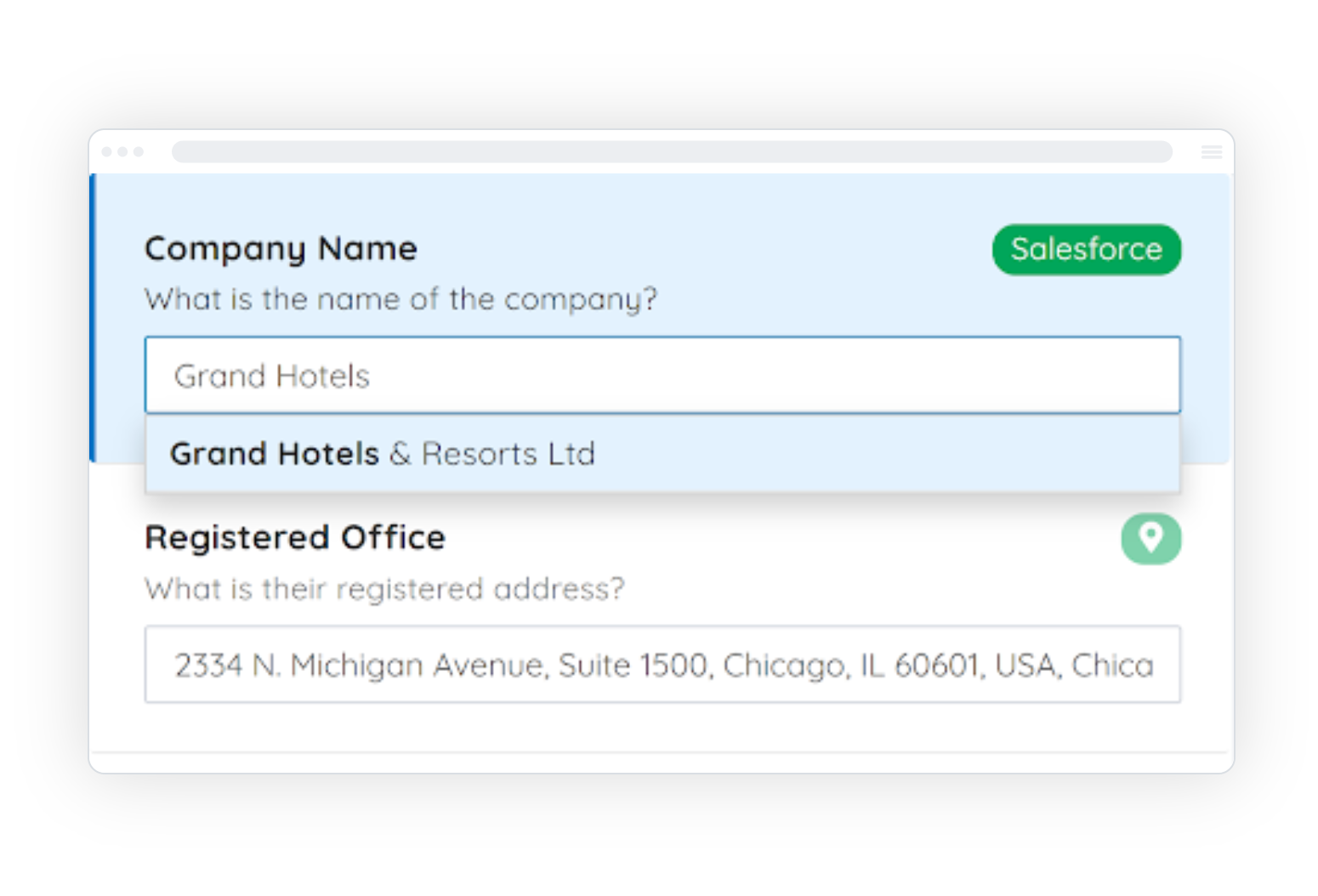
Doc2 eliminates manual entry by pulling data directly from your Salesforce objects into the Doc2 platform. We map the primary contact, account address, opportunity line items (and any other fields) instantly. Because the data comes straight from the source, there is zero risk of human error, making your Salesforce contract management accurate and efficient.
2. Auto-Filing
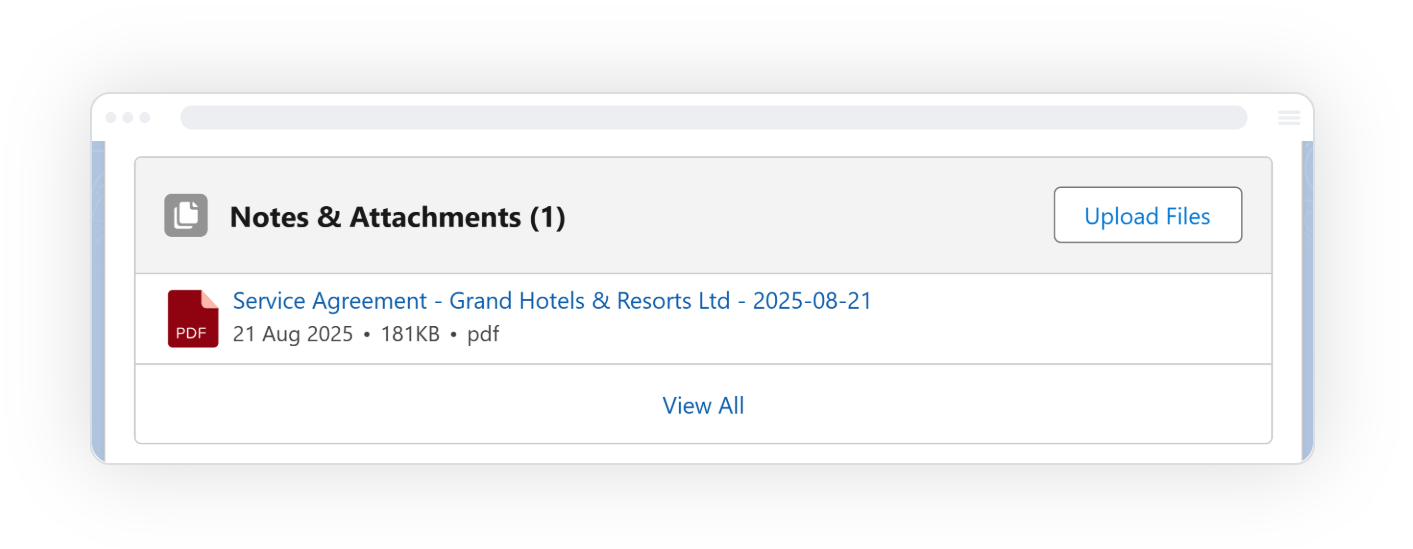
Once the document is generated and signed within Doc2, you don’t need to worry about manual uploads. Doc2 pushes the completed PDF back into Salesforce, attaching it to the correct account, and contact records automatically. Your team gets a completed audit trail inside Salesforce without ever having to drag-and-drop a file.
3. Logic-Based Templates
Does your Enterprise deal require different terms than your SMB deal? When Doc2 pulls your data, it also reads your Salesforce fields (like deal size or region) to decide which paragraphs to include in the document. Your reps don’t need to guess which template to use; Doc2 uses your Salesforce data to generate the exact contract required.
Stop letting admin kill your commission. You didn’t become a salesperson to format Word documents. Stop the manual madness and see exactly how Doc2 automates the grunt work for you. See how Doc2 works here below.
Conclusion: Better Salesforce Contract Management
Salesforce should be the engine of your revenue, not just a database.
If you are still copy-pasting data into Word, you aren’t doing Salesforce contract management, you’re doing data entry. Stop the context switching and start generating contracts that close themselves.
You are a Sales Leader, not a Data Entry Clerk.
Stop wasting your team’s talent on copy-pasting names and addresses. If you want to scale, you need to stop typing and start automating.